Free trial
7 days
all features, one computer
- All six wizards
- Starts on first activation
- One trial per computer
 Table Wizardsfor Simio
Simio add-in for data tables
Import worksheets, build model tables, and update repeated values from the Wizards tab.
 Wizards
Wizards tab

Transfer worksheet headers, inferred types, and values.

Create material definitions, quantities, and BOM references.

Build processes, tasks, dependencies, and requirements.

Copy column structure, with or without rows.

Update repeated values across selected tables and columns.

Generate member and Overall tables for resource-state charts.
Excel Quick Import
Import headers and inferred column types, with or without worksheet values.
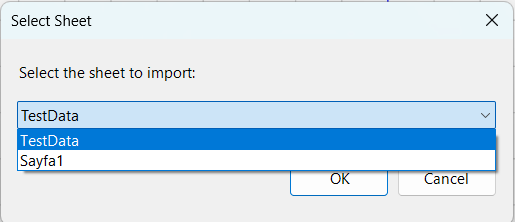
Choose the sheet you want to transfer from your Excel workbook.
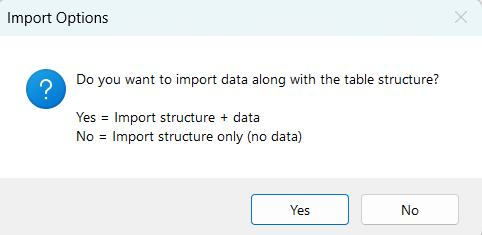
Import structure with data, or create the table structure without importing rows.
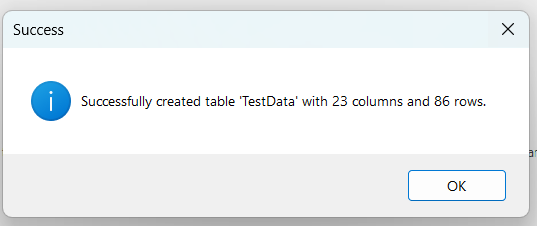
This example creates 23 columns and 86 rows in one pass.
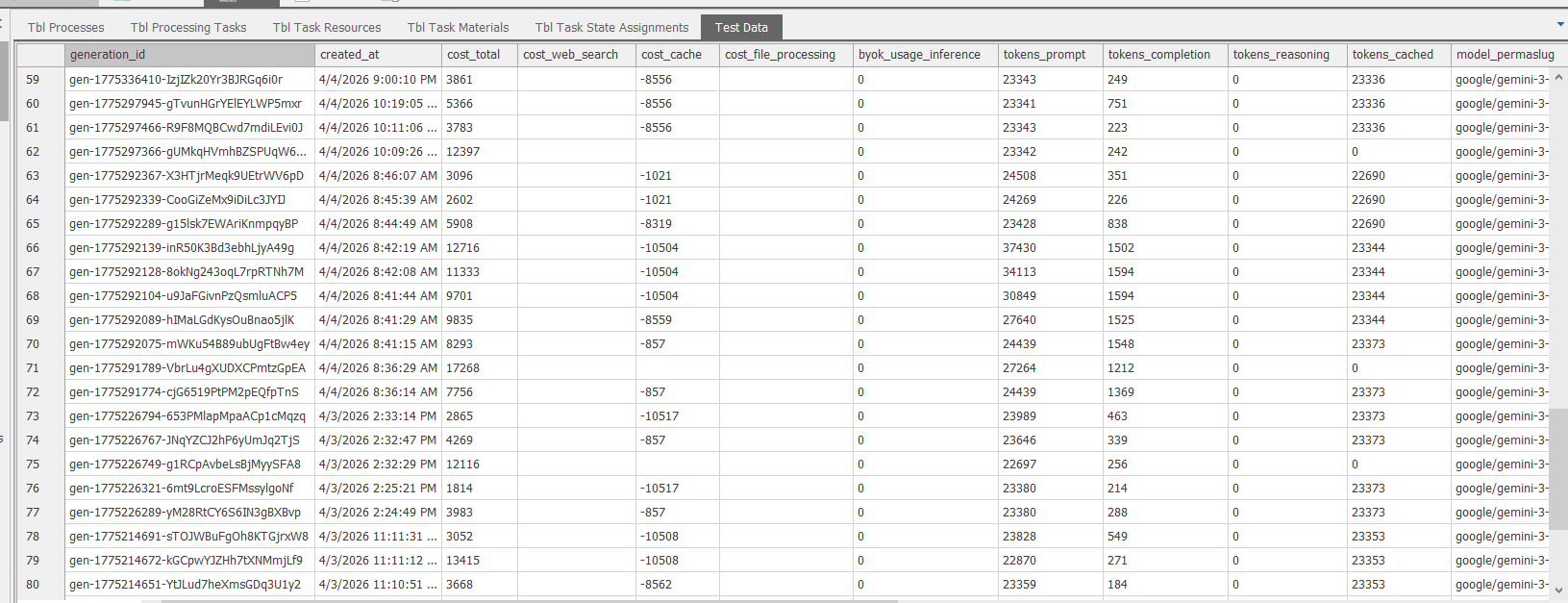
The created Simio table contains the worksheet column names and imported values, ready to use in your model.
ProcessServer
Build processes, task sequences, dependencies, and resource or material requirements. ProcessServer reads the workflow from these tables.
Material structure
Create material definitions, quantity expressions, and linked BOM tables. Inventory table creation requires Simio 19 or later.
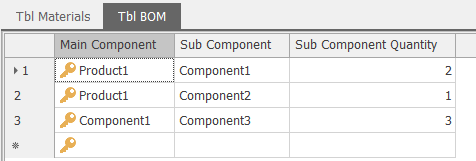
Link components and quantities, including nested assemblies.
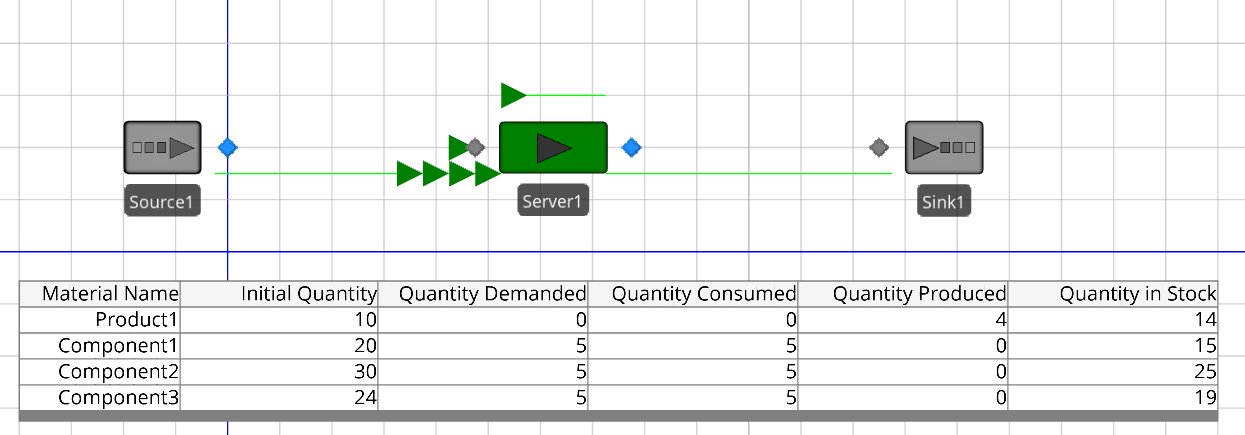
Show material quantities in the Facility view with a Status Table animation.

Keep initial quantities and demand, consumption, production, and stock expressions together.
Table duplication
Select a source table and name the copy. Copy the column structure alone, or include its rows.
Update material codes, resource names, and repeated values across selected tables and columns — without editing each matching cell.
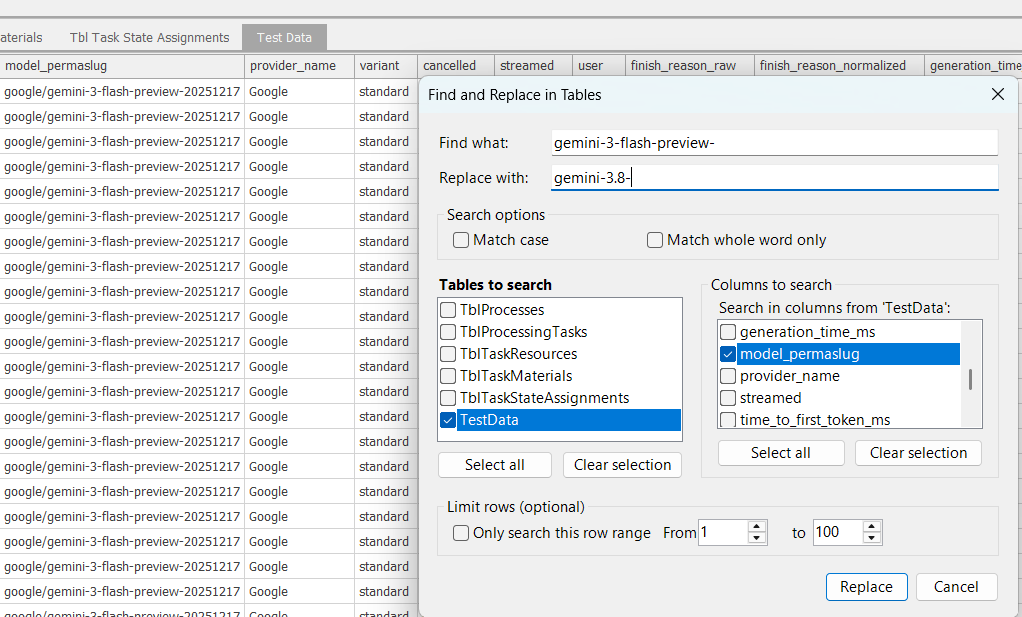
Select tables and columns; optionally match case, whole words, or a row range.
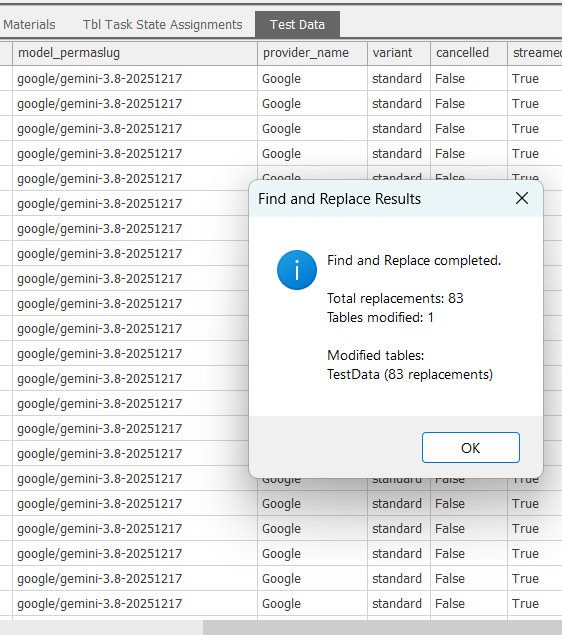
Review the affected tables and replacement count.
Generate state tables for each Worker or Vehicle member and an Overall table. Member tables use percent time; Overall sums time across the population. Add and configure the Pie Charts in Simio.
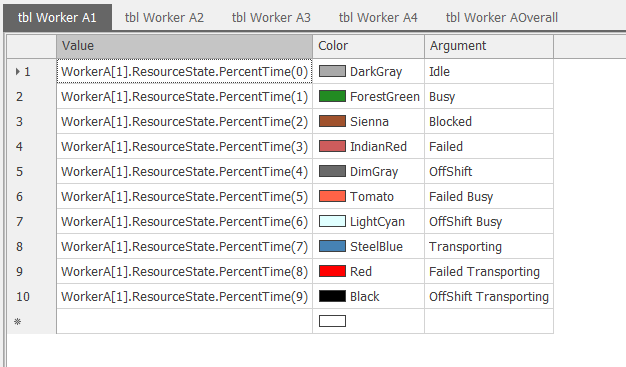
Each row contains a member’s percent-time expression, color, and state name.
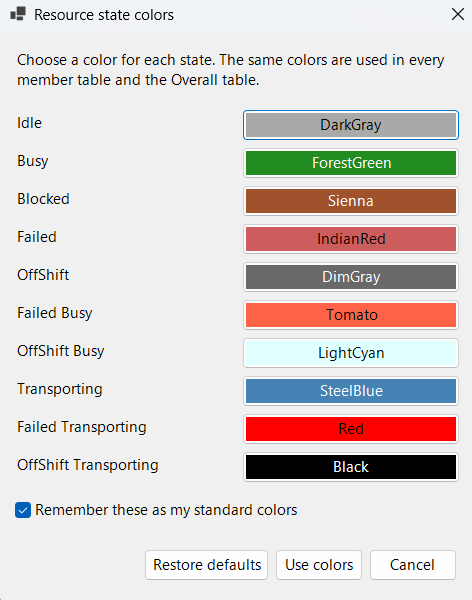
Choose state colors and save your palette for future tables.
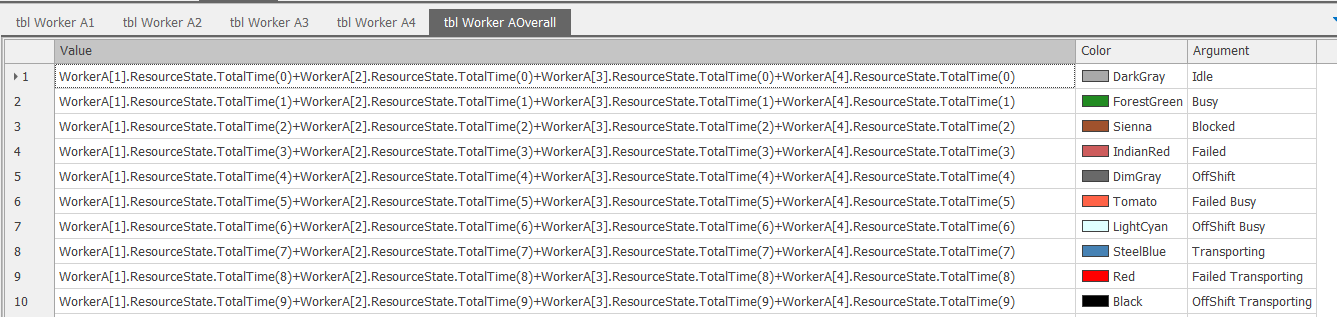
Sum each state’s total time across all members.
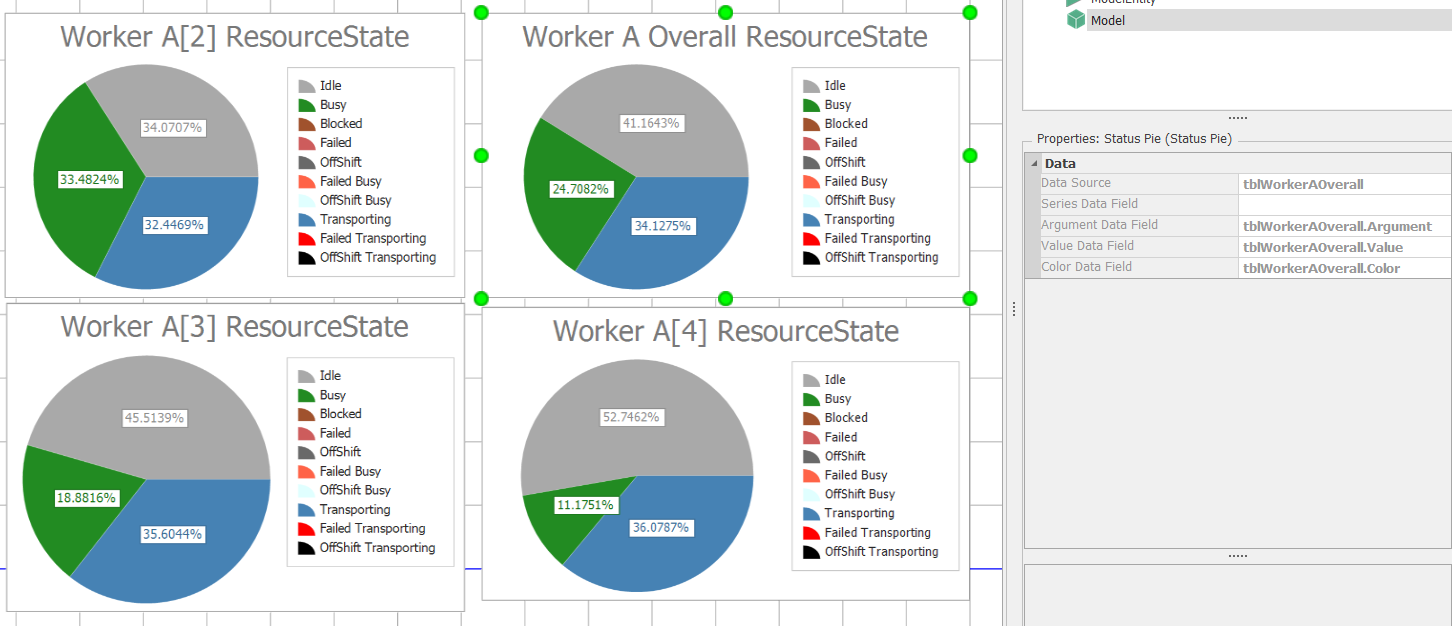
Select a member or Overall table as the Pie Chart data source; map Value, Color, and Argument.
Simple annual licensing
Free trial
all features, one computer
Professional
per user, per year
Compatibility: For student, academic, trial and commercial Simio licenses on Windows. General features support Simio 16 and later; inventory table creation requires Simio 19 or later.
Prices are in EUR and billed annually. Applicable taxes may be added at checkout. Subscriptions renew automatically unless cancelled. The total price, renewal terms and cancellation instructions are shown before payment.
Get started
Get your license and current installer by verified email.
Buy Professional
Verify your email, then pay securely with Stripe. Your license and installer arrive by email.
€49 per user, billed annually in EUR. Renews at €49/year unless cancelled. Taxes and final total appear before payment. Manage / cancel renewal.
Free trial
Enter your email to receive the current installer. New addresses verify first; verified addresses get a fresh link. The 7-day period starts on first activation.
Current version: 1.2.3.14. Request TableWizardsForSimio_ through the verified-email form.
Close Simio first. Setup can back up files and complete the supported removal of the recognized 1.2.3.2 MSI before installing the current version. Existing native MSI installations use the standard replacement flow. Older Setup bundles or other unrecognized legacy installations may require removal through Windows Installed apps or their original uninstaller. Do not manually delete DLLs or installation records; contact support if setup reports an unrecognized installation.
Installation
Install Table Wizards for Simio, open Simio, then enter the license key from your email.
Support
Email support@simulationhelpdesk.com with your Simio and Table Wizards versions and the error message. Remove license keys, private links, computer identifiers, and payment details from messages and screenshots.
Email missing? Check spam or request a fresh installer link. Recover a trial key without restarting its term. Manage billing or cancel renewal in Account & Licensing; removing a license does not cancel renewal. Privacy requests.